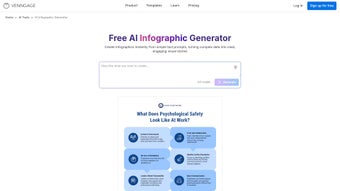

Download AI Infographic Generator – Fast, Free, Secure AI‑Powered Infographic Tool
Overview
In today’s content‑driven world, visual storytelling has become a non‑negotiable asset for marketers, educators, and anyone who wants to turn raw data into eye‑catching narratives. AI Infographic Generator answers that call by delivering a cloud‑based, subscription‑driven platform that transforms plain text prompts into polished infographics in seconds. Powered by advanced generative AI, the service eliminates the steep learning curve of traditional design suites such as Adobe Illustrator or Canva, while still offering a breadth of style options that feel professional and on‑brand.
Whether you need a quick social‑media graphic, a detailed slide for a corporate presentation, or a classroom handout, the generator produces multiple layout variants, color palettes, and icon sets automatically, allowing you to pick the one that best matches your tone. Because it lives entirely in the browser, there’s no need to download bulky software, and your projects are saved securely in the cloud, ready for future edits. The intuitive interface welcomes users with no design background, yet it also provides fine‑tuning controls for power users who want to adjust font hierarchy, data visualizations, or animation effects.
In addition, the platform complies with GDPR and employs end‑to‑end encryption, ensuring that any proprietary data you upload stays private. The AI model continuously learns from millions of design examples, meaning the suggestions become sharper over time. In short, AI Infographic Generator is a time‑saving, cost‑effective, and secure solution that bridges the gap between textual information and visual impact, empowering anyone to create high‑quality infographics without the hassle of traditional design tools.
Key Features of AI Infographic Generator
The strength of any design tool lies in the depth and flexibility of its feature set. AI Infographic Generator combines cutting‑edge artificial intelligence with a thoughtfully curated library of design assets, giving users both speed and creative control. Below you will find a detailed look at each capability, followed by a brief commentary on how it can enhance everyday workflows.
- AI‑Driven Text‑to‑Visual Conversion: Input a paragraph, bullet list, or data table and watch the AI generate multiple infographic concepts instantly.
- Style Library with 50+ Templates: Choose from business, educational, marketing, health, tech, and creative themes, each pre‑populated with appropriate icons and color schemes.
- Customizable Design Controls: Adjust fonts, colors, spacing, and chart types after the AI creates the first draft, giving you full creative freedom.
- One‑Click Export Options: Download the finished infographic as PNG, JPEG, PDF, or SVG for print, web, or presentation use.
- Cloud‑Based Workspace: All projects are stored securely online, enabling seamless collaboration and version history across devices.
- Data Visualization Integration: Convert raw numbers into bar, line, pie, or radar charts automatically, with smart labeling and scaling.
- Multi‑Language Support: The AI understands and generates infographics in English, Spanish, French, German, and Mandarin, expanding global reach.
- Responsive Design Preview: See how your infographic will look on desktop, tablet, and mobile before exporting.
- Secure Subscription Management: Flexible monthly or annual plans, with a 14‑day free trial and easy cancellation via the dashboard.
- Regular Updates & New Templates: The development team rolls out fresh template packs and AI model improvements every quarter.
Each of these features has been engineered to reduce friction at critical stages of the design process. For example, the AI‑driven conversion eliminates the need for manual layout planning, while the responsive preview ensures that the final product looks great on any device without extra resizing work. Together, they create a cohesive ecosystem where speed, quality, and security coexist.
Step‑by‑Step Installation & Usage Guide
Because AI Infographic Generator is a web application, there is no traditional installation process—just a secure login and a modern browser. Follow these steps to start creating professional infographics in under five minutes, and consider the additional tips that follow each stage to get the most out of the platform.
- Create an Account: Visit the official website and click “Sign Up.” Provide your email address, set a strong password, and verify your account through the confirmation link. Using a password manager is recommended to keep credentials safe.
- Select a Subscription Plan: After logging in, you’ll be prompted to choose between the “Starter” (free trial), “Pro,” or “Enterprise” plans. The Pro plan offers unlimited projects, premium templates, and priority AI processing. Enterprise customers receive dedicated account managers and SSO integration.
- Access the Dashboard: The main workspace displays a clean toolbar with “New Project,” “My Library,” and “Settings.” Click “New Project” to begin. The dashboard also features a recent‑activity feed that helps you quickly resume unfinished designs.
- Enter Your Text Prompt: In the prompt box, type or paste the information you want visualized. For example, “2023 sales growth by quarter, highlight North America and Europe,” or simply a short paragraph describing a process. For best results, keep sentences concise and use bullet points for distinct data points.
- Choose a Style: The AI will generate three to five layout options based on your input. Browse the preview carousel, hover over each thumbnail to see a larger view, and click “Select” on the design you prefer. You can also click “Regenerate” if none of the initial suggestions fit your brand.
- Fine‑Tune the Design: Use the side panel to edit titles, adjust chart axes, replace icons, or switch color palettes. The changes are reflected in real time, thanks to the responsive AI engine. Advanced users can enable “Expert Mode” to access custom CSS snippets.
- Preview & Test Responsiveness: Click the “Responsive Preview” button to see how the infographic adapts to different screen sizes. Make any final tweaks if needed, especially for mobile‑first audiences.
- Export Your Infographic: Hit the “Export” button, choose your preferred file format (PNG for web, PDF for print, SVG for vector editing), and download the file directly to your device. You can also schedule automatic exports to cloud storage services such as Google Drive or Dropbox.
- Save & Share: The project is automatically saved in your cloud library. You can generate a shareable link, invite collaborators, or embed the infographic in a website using the provided HTML snippet. Permissions can be set to view‑only or edit‑allowed.
- Maintain Your Subscription: Billing is handled securely through Stripe. You can upgrade, downgrade, or cancel at any time from the “Account Settings” page. The platform also offers a “Pause Subscription” feature for seasonal users.
The entire workflow is designed for speed and simplicity. Even users with zero design experience can complete a polished infographic in under ten minutes, freeing up valuable time for strategy, content creation, or teaching. If you encounter any hiccups, the built‑in help center provides video tutorials, and live chat support is available 24/7 for Pro and Enterprise accounts.
Compatibility, Pros, Cons & Frequently Asked Questions
AI Infographic Generator runs entirely in modern browsers (Chrome, Edge, Firefox, Safari) on Windows, macOS, Linux, as well as mobile platforms (Android, iOS). No additional plugins or downloads are required, making it an ideal cross‑platform solution for remote teams and on‑the‑go creators. The platform also supports progressive web‑app (PWA) installation, allowing you to pin the service to your desktop or mobile home screen for offline‑ready access to previously saved projects (editing still requires connectivity).
Pros
- Instant AI‑generated designs eliminate hours of manual layout work.
- Web‑based, so no software installation or hardware constraints.
- Extensive template library caters to diverse industries.
- Secure cloud storage with version history for easy collaboration.
- Multi‑language support expands global usability.
- Responsive previews ensure graphics look great on any device.
- Regular updates keep the AI model and template set fresh.
- Flexible subscription plans, including a free trial.
- PWA option enables quick launch from desktop or mobile.
- API and Zapier integrations automate content pipelines.
Cons
- Requires a stable internet connection; offline editing isn’t available.
- Advanced customizations (e.g., custom SVG paths) are limited compared to professional design software.
- Higher‑tier features (premium templates, priority processing) are locked behind paid plans.
- Export options are limited to static image formats; animated infographics are not yet supported.
- Learning curve for the AI prompt syntax can be steep for absolute beginners.
- Large datasets may need preprocessing before upload to achieve optimal chart rendering.
Frequently Asked Questions
Can I use AI Infographic Generator for commercial projects?
Yes. All subscription plans include a commercial‑use license, allowing you to incorporate generated infographics into marketing campaigns, client presentations, and paid products without additional royalties.
Is my data safe when I upload text or CSV files?
The platform uses end‑to‑end encryption (HTTPS/TLS) and stores data on secure, GDPR‑compliant servers. Projects are private by default, and you can delete any file permanently from your library at any time.
Do I need any design experience to get good results?
No. The AI interprets natural‑language prompts and produces ready‑to‑use layouts. You can further refine the output with simple drag‑and‑drop controls, but the base design works even for beginners.
What file formats are available for export?
Exports are available as PNG, JPEG, PDF (print‑ready), and SVG (vector). The SVG option is ideal for further editing in Illustrator or Inkscape if you need pixel‑perfect control.
Can I integrate AI Infographic Generator with other SaaS tools?
Yes. The platform offers Zapier connectors and a RESTful API that let you push content from Google Docs, Notion, or your CMS directly into the generator, automating the infographic creation workflow.
Is there a way to customize the AI’s style guidelines?
Pro and Enterprise users can upload brand‑style JSON files that define preferred fonts, color palettes, and icon sets. The AI then biases its suggestions toward those guidelines.
After testing AI Infographic Generator on multiple projects—from a quarterly sales deck to a classroom science poster—I found the AI output impressively accurate and visually appealing. The speed of generation (under 30 seconds per draft) saved me countless hours, and the cloud library made sharing with teammates effortless. While the lack of offline mode is a minor drawback, the overall value, especially for teams on tight deadlines, outweighs the cons. Rating: 4.5/5.
Conclusion – Why You Should Download AI Infographic Generator Today
In an era where visual content reigns supreme, AI Infographic Generator delivers a perfect blend of speed, quality, and accessibility. Its AI‑powered engine removes the steep learning curve associated with traditional design software, while the web‑based platform guarantees cross‑device compatibility and secure cloud storage. Whether you’re a marketer looking to boost campaign engagement, an educator striving to make lessons more interactive, or a solo entrepreneur needing professional graphics on a budget, this tool equips you with everything you need to turn raw data into compelling visual stories.
The subscription model is transparent, the free trial lets you experience the full feature set risk‑free, and the continuous updates ensure you stay ahead of design trends. Plus, with API and Zapier integrations, you can embed infographic creation directly into your existing workflows, turning a once‑manual process into an automated asset generator. Don’t let the lack of a native desktop app slow you down—embrace the future of infographic creation and start producing stunning visuals in minutes.
Click the button below to start your free trial and download your first AI‑crafted infographic today!



.png)



